Industry guides · 3D configuration · Mass customization
3D wheel configurators: how custom wheel brands sell online
A 3D wheel configurator lets buyers pick size, finish and components, see the exact wheel in 3D and get a valid price. How custom wheel brands sell with Spokbee.
A 3D wheel configurator turns the ordering process for custom wheels into a page where the buyer picks size, offset, finish and components and sees the exact wheel update in 3D as they choose. Fitment rules keep every combination buildable, the price updates with each choice, and the buyer finishes with a quote or an order instead of a fitment form and a week of email. That is how custom wheel brands such as Forgeline sell online with Spokbee today.
This guide explains what a wheel configurator has to get right, how Spokbee turns fitment knowledge into rules, how pricing follows each option, where the 3D model comes from and how a wheel brand launches one.
What is a 3D wheel configurator?
A 3D wheel configurator is an interactive product page where a buyer builds one specific wheel: diameter, width, setup, finish, components and hardware. A 3D model of that exact wheel updates with every choice, rules block combinations that cannot be built, and the price follows the selection. The result is a configured, priced wheel the buyer can quote, share or order.
Compare that with how custom wheels have been sold for years. A product page shows a gallery of finished sets. The buyer fills in a fitment form with their vehicle, bolt pattern and desired sizes, then waits for a specialist to reply by email with what is possible and what it costs. Every finish question and every change of mind adds another round. Spokbee's 3D product configurator replaces that loop with a page where the buyer answers their own questions and sales receives a configuration that is already valid and already priced.
Why do custom wheel brands need a wheel configurator?
Custom wheels are a large, option-heavy category where the buyer cannot see the product before they order it. A forged wheel is made to order in a chosen diameter, width, offset and finish, so there is no stock photo of the exact wheel a buyer wants. A configurator shows it, prices it and checks it, which is why wheel brands put one on the product page.
The market is big enough to justify the investment. SEMA's 2025 Market Report sizes U.S. sales of wheel, tire, suspension and brake products at a combined 12.51 billion dollars in 2024 (SEMA, 2025 Market Report summary, checked October 2026).
Seeing the product in 3D also changes buying behaviour. In a published Shopify case study, Gunner Kennels added 3D models and augmented reality to its product pages and reported a 40 percent rise in order conversion rate and a 5 percent cut in its return rate (Shopify case study, checked October 2026). Those are one company's before-and-after figures, not a controlled study, but they point the same way as what wheel brands see: a buyer who has watched their own wheel rotate in the chosen finish orders with confidence.
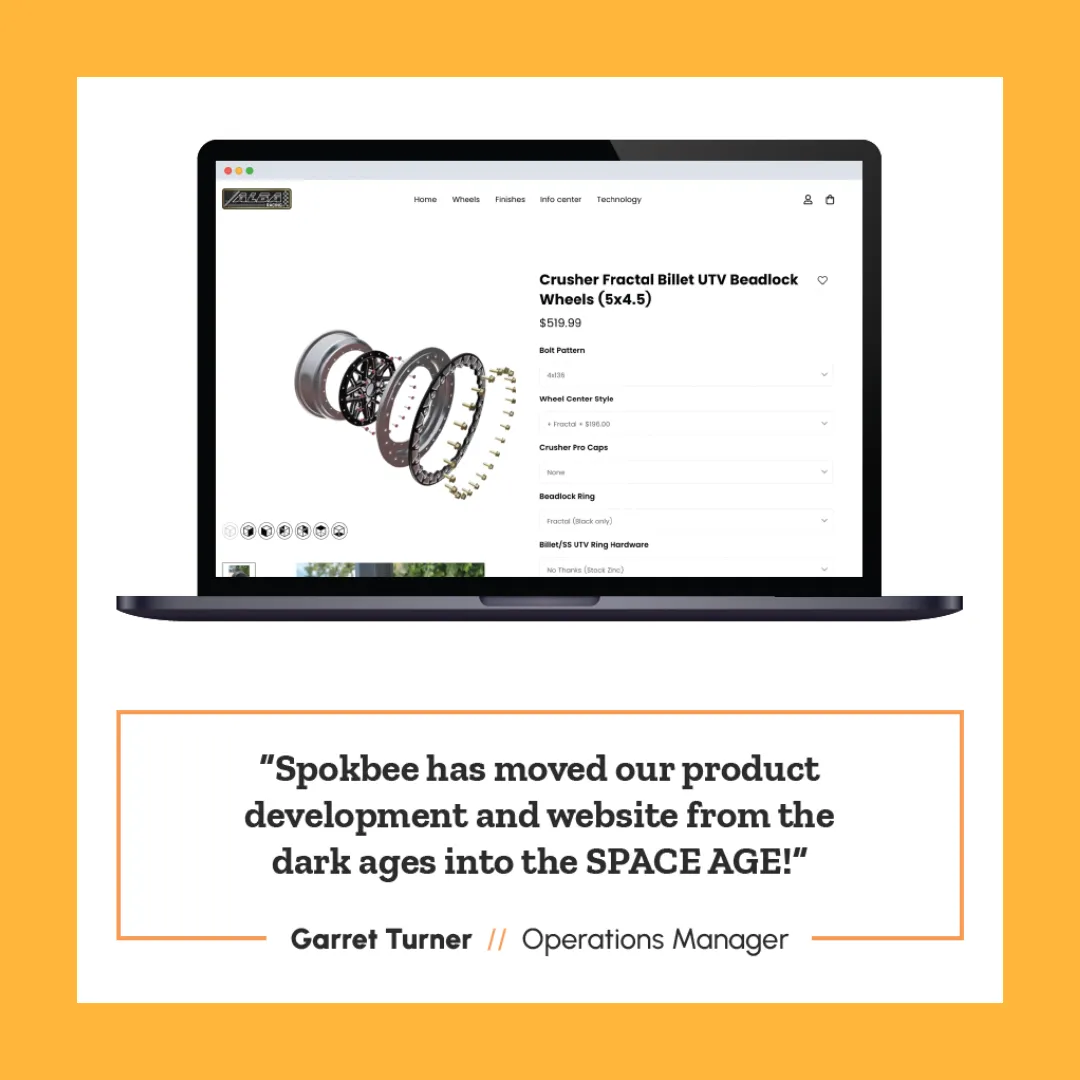
Spokbee's customer work shows the same pattern. Alba Racing had dozens of wheel options across centers, barrels, rings, caps and hardware, and its website could not show them. Spokbee built a Shopify wheel configurator where customers mix and match those components and preview the exact combination before purchase, and the company reported higher engagement and fewer production errors. Read how Alba Racing uses Spokbee to drive engagement and sales.
What does a wheel configurator need to get right?
A wheel configurator has to model five things correctly: the sizes a design is made in, the fitment rules between them, the finishes, the components and the price of each choice. Get any one wrong and the configurator either blocks a wheel you can build or accepts one you cannot. Spokbee has a specific feature for each.
| What the buyer chooses | What has to hold true | How Spokbee handles it |
|---|---|---|
| Diameter and width | Each design is made in a fixed set of diameters, and each diameter in a range of widths | Parameters per option, with a conditional range on width per diameter (Constraints) |
| Square or staggered setup | A staggered setup needs a separate front and rear size; a square one does not | Visibility rules show rear-size fields only when the setup is staggered (Visibility rules) |
| Offset and bolt pattern | Only some offsets fit a given width; the bolt pattern follows the vehicle | Requires and excludes constraints between parameters |
| Finish | Every finish needs to look right on the 3D model and in the option list | Material editor, material presets and image swatches (Option images and swatches) |
| Components and hardware | Centers, barrels, lips, caps and fasteners must be compatible | Combination rules across three or more parameters |
| Price | Each size step, finish and component carries its own price | Surcharges, matrix lookup and price floor (Pricing) |
The rest of this guide walks through each row with the Spokbee feature that covers it.
How does Forgeline sell custom wheels with a Spokbee configurator?
Forgeline, the Dayton, Ohio maker of forged custom wheels, runs a Spokbee-built configurator on its product pages so buyers can see finishes and components become a visual buying experience. The AL309 page shows the pattern: pick a square or staggered setup, choose front and rear sizes from the diameters and widths that design is made in, then customize the wheel in 3D.
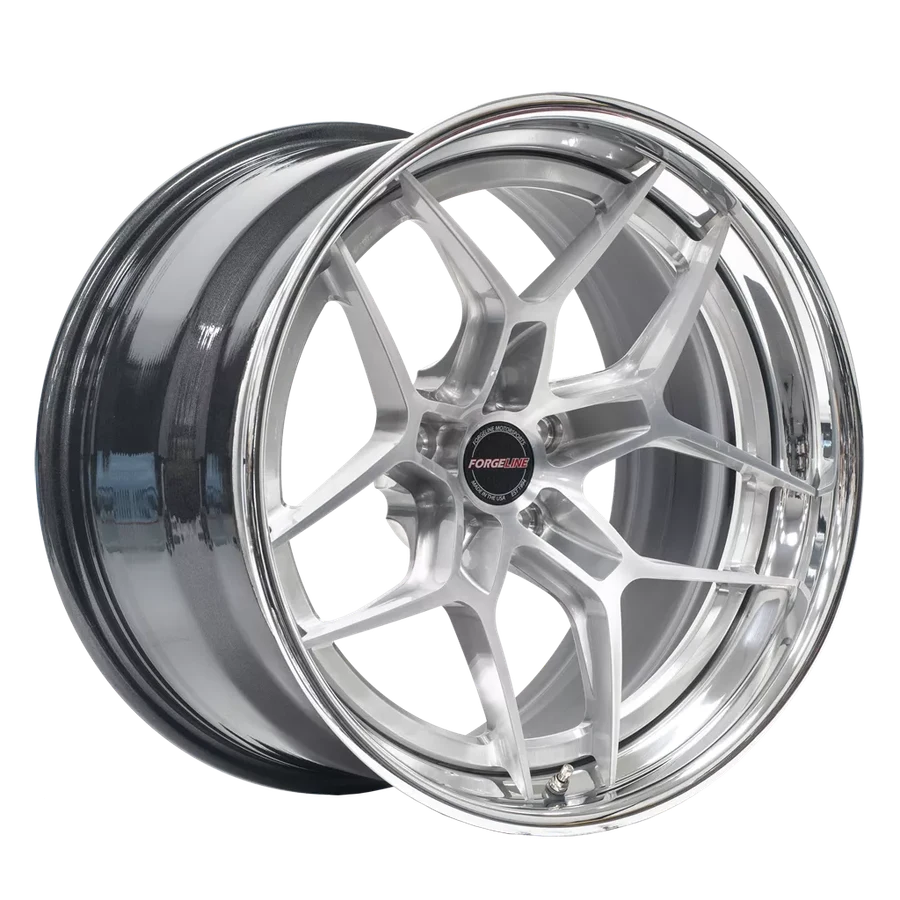
Forgeline builds every wheel to order, in custom sizes, lug patterns and offsets, and hand-finishes each one in virtually any colour, as its AL309 product page explains (checked October 2026). The AL309 alone lists diameters from 18 to 21 inches and widths from 7.5 to 16 inches, with a price per wheel for each size. That is the kind of catalogue a static page cannot show, and a configurator lets the buyer walk through it and see what each step looks like and costs.
Spokbee features Forgeline on its customer stories as the example of precision products personalized online. The configurator runs inside Forgeline's own product page, so buyers never leave the brand's site, and the page that once ended in a fitment form now ends in a configured wheel.
How do fitment rules keep every wheel configuration valid?
Fitment knowledge becomes constraints in Spokbee, and a constraint blocks a combination the moment the buyer selects it. Requires and excludes rules tie two options together, a conditional range narrows a numeric option such as width based on another choice, and combination rules forbid specific multi-option sets. The buyer sees an inline message and cannot proceed.
Spokbee's constraint types map directly onto the rules a wheel specialist applies by hand:
- Requires: when the setup is staggered, require a rear size. When the attachment style is centerlock, require the matching hardware kit.
- Excludes: when the diameter is 18 inches, exclude the 13.5 inch width that only exists at 21 inches.
- Conditional range: when the diameter is 19 inches, restrict width to the range that design is forged in at that diameter.
- Arithmetic: validate an expression across parameters, such as keeping a width-plus-offset figure inside a limit the engineering team sets.
- Combination rules: forbid a specific lip, center and finish together when that set cannot be produced, even though any two of the three are fine.
Visibility rules keep the form short. In a square setup the rear-size fields never appear, so the buyer sees only the choices that apply, as the visibility rules documentation describes. The rules live in the configurator, so they apply to every buyer and every dealer the same way.
How does a wheel configurator price each option?
Spokbee prices the wheel in real time as the buyer configures it: a base price for the default wheel, a surcharge for each size step, finish or component, and a floor that never lets the total fall below cost. When a buyer is done, they request a branded PDF quote or add the wheel to a cart and pay.
The pricing engine offers a mechanism for each way a wheel brand prices:
| Pricing need | Spokbee mechanism | Example |
|---|---|---|
| A set of wheels at a starting price | Base price and currency | The default wheel in its default size |
| Wider or larger wheels cost more | Surcharge on an option value, flat or percentage | Each width step above the base adds a flat amount |
| Price by diameter and width together | Matrix lookup with two parameters as axes | A diameter-by-width table with one price per cell |
| Premium finish or component | Surcharge, stackable per option | A custom colour or a carbon lip adds its own line |
| Protect margin | Price floor and ceiling | The total never drops below manufacturing cost |
The engine evaluates in a fixed order, so the result is predictable and the quote PDF shows a line-item breakdown of base price, surcharges, discounts and total. The quote flow captures the product image the buyer sees at quote time, including a snapshot of the 3D view, so the quote shows the configured wheel rather than a generic photo. Where the brand sells direct, buyers can add the configured wheel to a cart and pay through Stripe checkout, with the order recorded in the Orders dashboard as Commerce and checkout describes.
Where does the 3D wheel model come from?
Spokbee generates the geometry itself. A proprietary hybrid modeling approach combines AI-driven, agentic modeling with parametric, cloud-based CAD, and one process produces both the interactive model in the configurator and the STEP model a buyer downloads. The output is engineering-grade geometry, not a visual stand-in, so the wheel the buyer rotates is the wheel the shop forges.
The process starts from whatever the brand has. Any engineering file works, with STEP, IGES and Parasolid ideal. When those do not exist, Spokbee reverse-engineers the product from DXF, DWG or PDF drawings, or starts from photos, dimensions and written descriptions. CAD integrations can feed that process, as the integrations page lists, and configured CAD downloads are available in the formats enabled for the product.
Once the model exists, the 3D viewer and materials do the showroom work. Every surface in the model is a separate material, so a finish option can set the colour, metallic factor and roughness of the face, the lip and the hardware independently. Built-in presets such as brushed steel and polished chrome cover the common finishes in one click, and AI texture generation turns a description like "satin bronze" into a tileable texture applied to any surface. Environment presets and custom HDR maps set the lighting, so a gloss black wheel reflects the way it would in a studio shot.
Option images complete the picture. Attach a thumbnail to each finish and the option list shows the real finish next to its name, in a dropdown, a pill selector or a colour swatch, as the option images documentation explains. Crop the swatches from product photos and the buyer sees the same finish in the list and on the model.
How do you launch a wheel configurator?
Launching a wheel configurator with Spokbee takes four steps: build the catalogue, encode the rules and prices, add the 3D and finishes, then publish and embed. The free Starter plan covers the first build, and the published configurator embeds on any product page with one tag.
| Step | What you do | Where it is documented |
|---|---|---|
| 1. Build the catalogue | Describe the wheel designs, sizes, finishes and components in chat, or upload a spreadsheet or photos, and Spokbee drafts the parameters | Quickstart |
| 2. Encode rules and prices | Add requires, excludes and range constraints for fitment; set base prices, surcharges and a matrix | Constraints, Pricing |
| 3. Add 3D and finishes | Load the model, set materials per surface, attach option swatches | 3D viewer and materials |
| 4. Publish and embed | Publish, copy the embed code, paste it into the product page on your store | Embed a 3D configurator on Shopify, WordPress or Webflow |
Spokbee's home page describes the free Starter plan as a way to explore the builder with an initial allocation of AI credits and 3D model uploads, so a wheel brand can build one design end to end before committing. Publishing gives the configurator a hosted URL and an embed snippet, so it runs inside a Shopify product page the way Alba Racing's does, or on a brand's own domain the way Forgeline's does.
The business change is the one Spokbee's other customers describe. Stor-Loc replaced manual calculations and 2D drawings with visual configuration and automated quoting and now spends half the time on routine quotes, as its customer story reports. For a wheel brand, the specialist stops answering "will 19 by 11 fit with that offset?" by email, because the configurator already did, and picks up the conversation with a configured, priced wheel in hand.
Sources
- SEMA: 2025 SEMA Market Report unveils new research on wheel, tire, suspension and brake products, checked October 2026.
- Shopify case study: Gunner Kennels, checked October 2026.
- Forgeline AL309 product page, checked October 2026.
- Spokbee facts: customer stories, integrations and the documentation pages linked in each section above.
Frequently asked questions
What is a 3D wheel configurator?
A 3D wheel configurator is a web page where a buyer chooses a wheel's size, offset, finish and components and watches a 3D model of that exact wheel update as they choose. Fitment rules keep every combination buildable, pricing updates with each choice, and the buyer ends with a quote, an order or both. Spokbee builds and hosts configurators of this kind for custom wheel brands such as Forgeline.
How does a wheel configurator stop buyers ordering a wheel that does not fit?
Fitment knowledge becomes rules inside the configurator. In Spokbee, requires and excludes constraints tie options together, a conditional range narrows the allowed widths or offsets for a given diameter, and combination rules forbid specific multi-option combinations. A buyer who breaks a rule sees an inline message and cannot continue, so sales never receives an order for a wheel that cannot be built.
Can a wheel configurator price every option and take the order?
Yes. Spokbee's pricing engine adds a surcharge for each finish, component or size step, can price a diameter-by-width matrix in one table, and clamps the result to a floor and ceiling. The buyer can request a branded PDF quote or add the configured wheel to a cart and pay through Stripe checkout. Every quote and order lands in the workspace dashboard.
Do I need 3D files of every wheel before I start?
No. Spokbee generates the 3D itself with a hybrid modeling approach that combines AI-driven modeling with parametric, cloud-based CAD. It starts from any engineering file, with STEP, IGES and Parasolid ideal, from DXF, DWG or PDF drawings, or from photos, dimensions and written descriptions. The free Starter plan lets you build a first configurator before committing.
Keep reading
Embed a 3D configurator on Shopify, WordPress or Webflow
Embed a Spokbee 3D configurator on any website with one iframe or script tag. Exact snippets for Shopify, WordPress and Webflow, plus branding and tracking.

From PDFs to Interactive Demos: Why Your Product Pages Need a 3D Upgrade
Discover why interactive 3D configurators are the future of B2B sales. Learn how Spokbee helps manufacturers upgrade product pages with real-time visualization, instant quotes, and error-free configurations.
Custom Wheels in Real Time: How Alba Racing Uses Spokbee to Drive Engagement and Sales
Discover how Alba Racing transformed custom wheel sales with Spokbee’s CAD integration and real-time Shopify configurator. Faster R&D, higher engagement, and more confident customers—all in one solution.